1
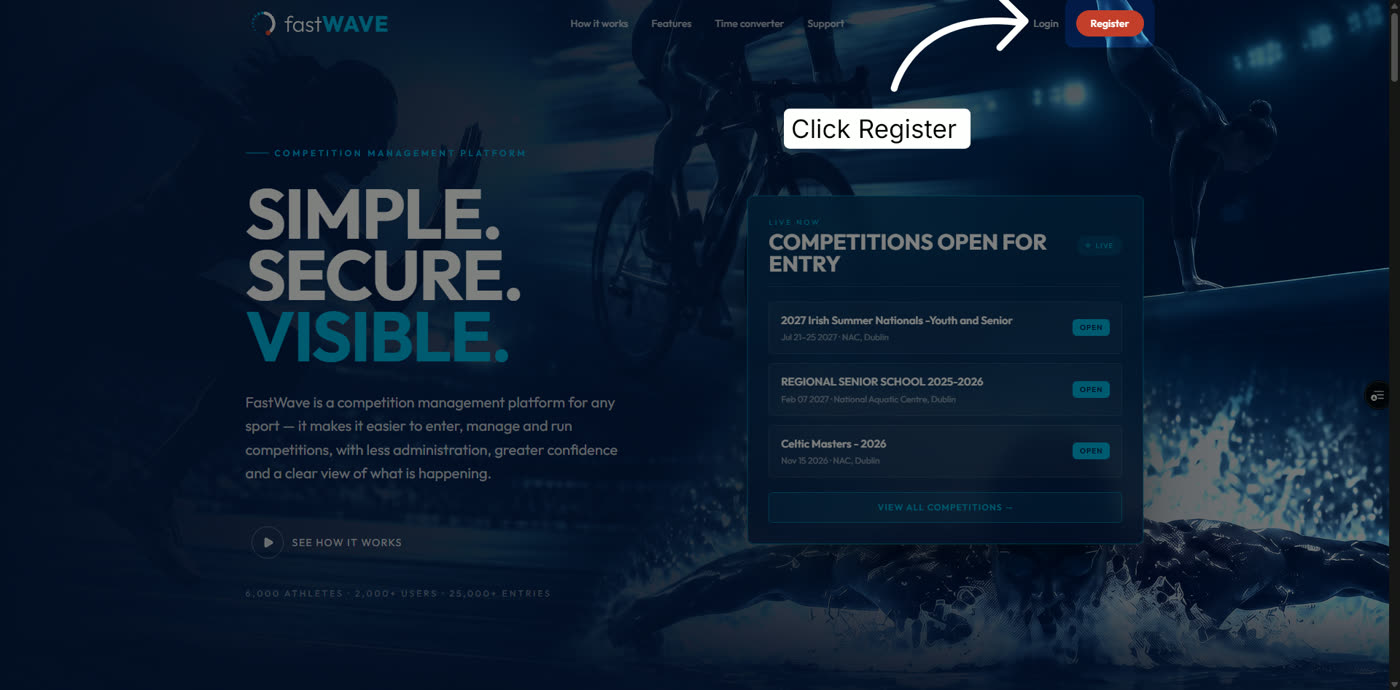
Click Register
On the Fastwave website, click Register to start creating your account.
Create your account, verify your email and confirm your membership, in 18 steps.
On the Fastwave website, click Register to start creating your account.
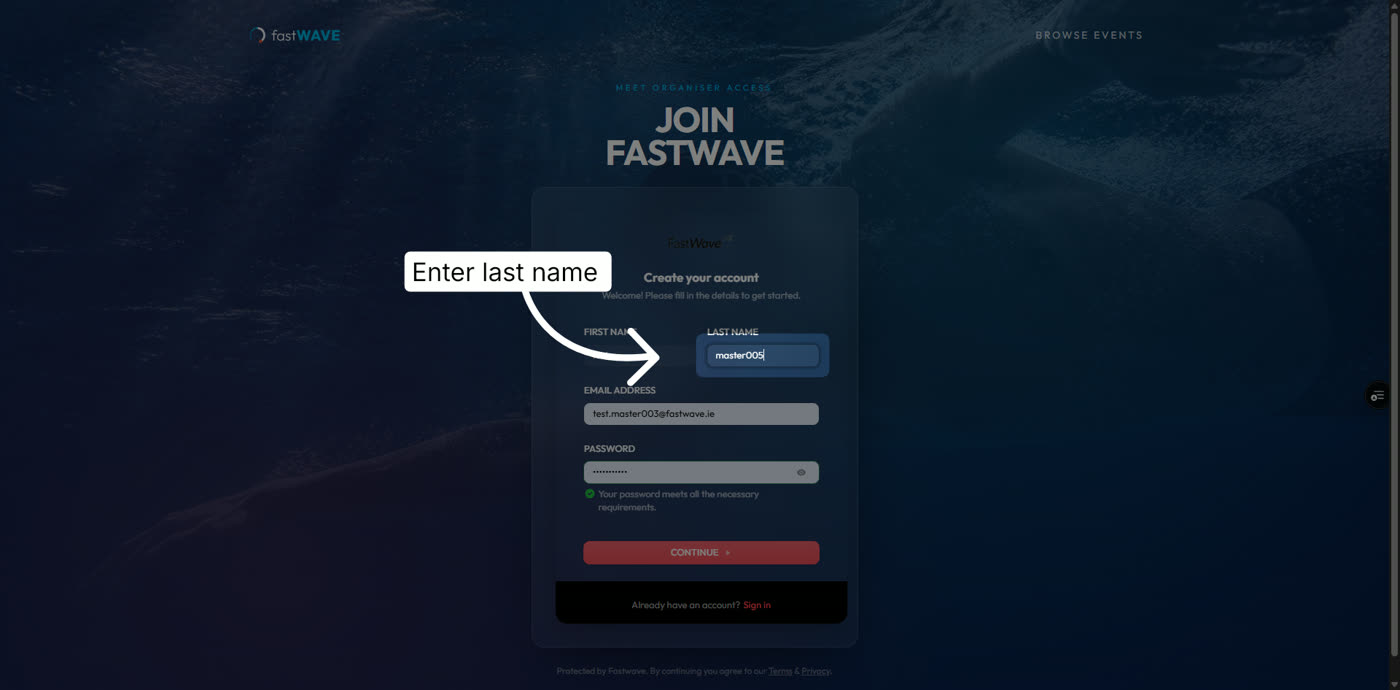
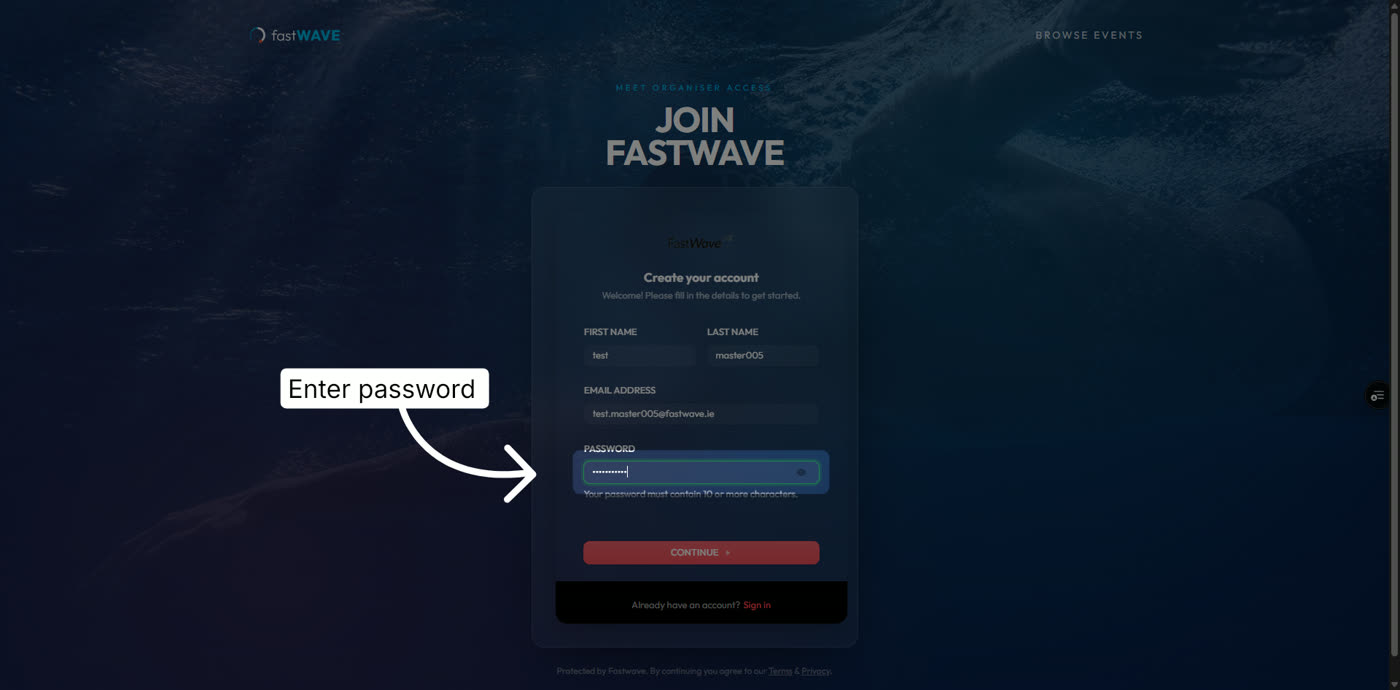
Click the First name field and type your first name, then do the same in the Last name field.
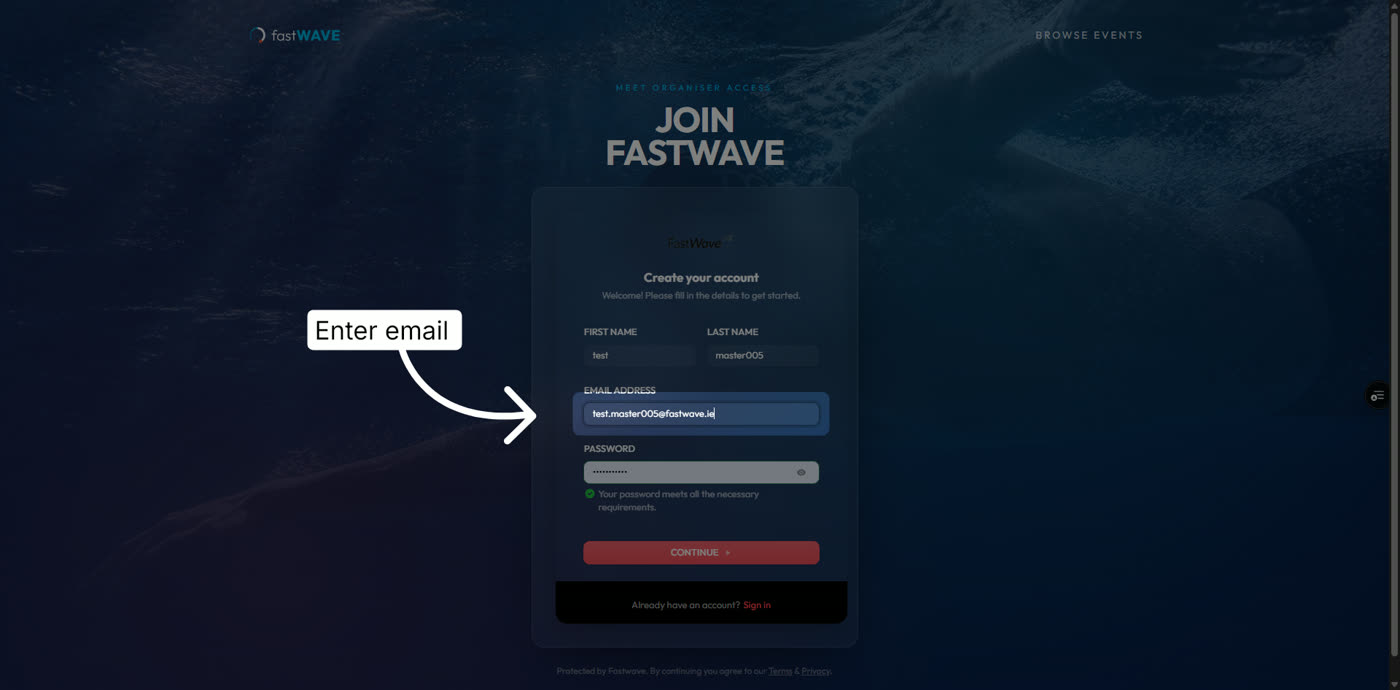
Click the Email address field and type your email.
Click the Password field and type a password.
Tip: Your password must be 10 or more characters.
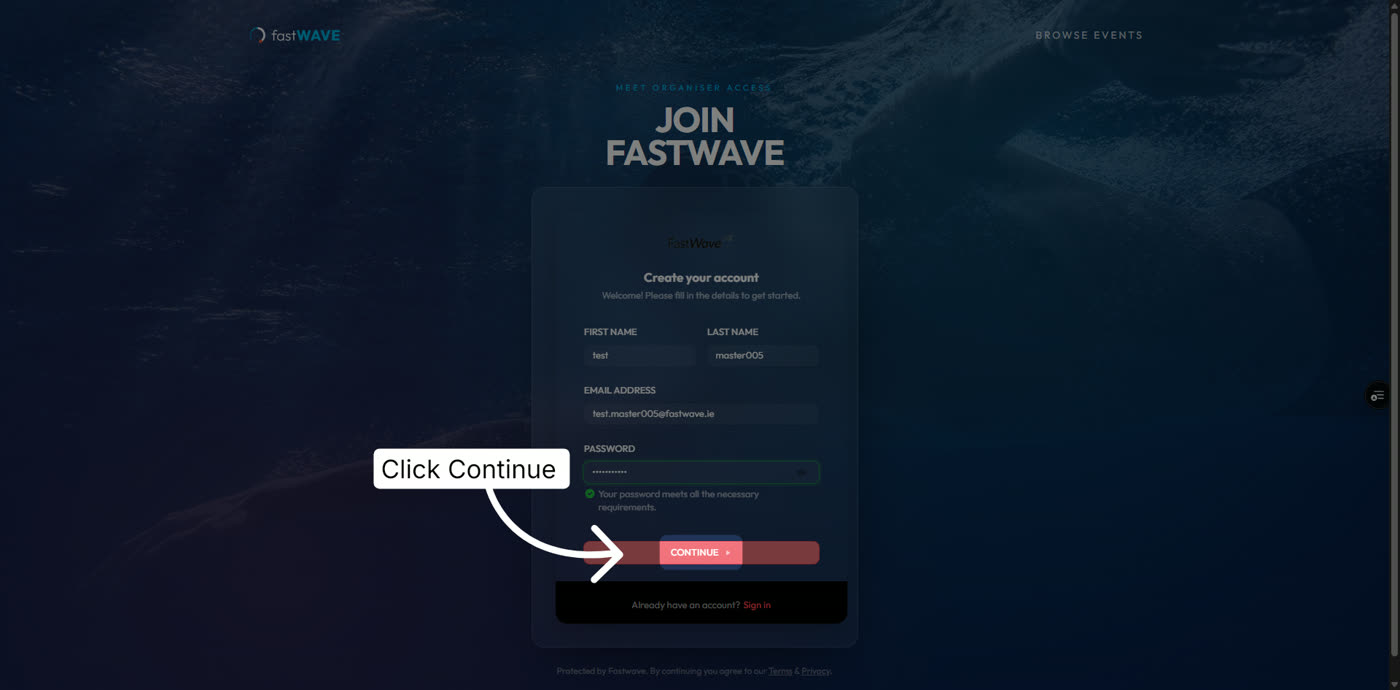
Click Continue. We'll send a verification code to your email.
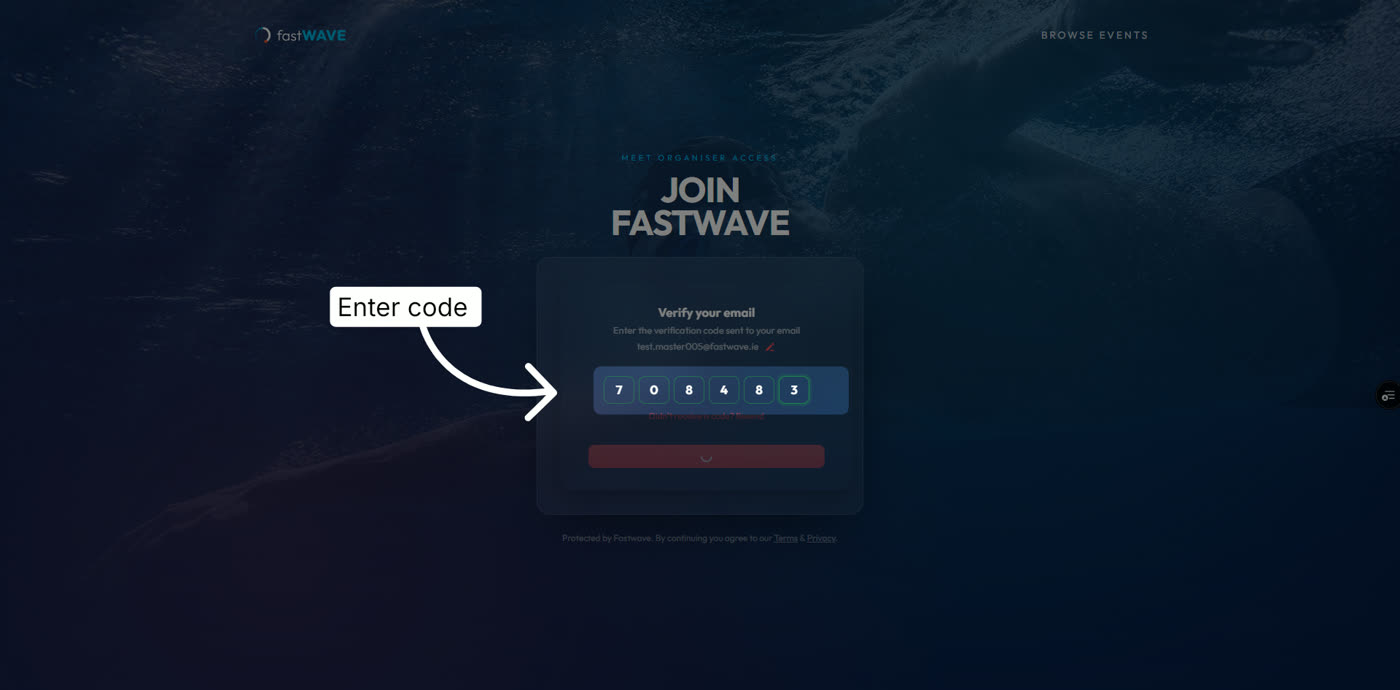
Type the code from your email into the verification code field.
Tip: Can't see the email? Check your spam or junk folder.
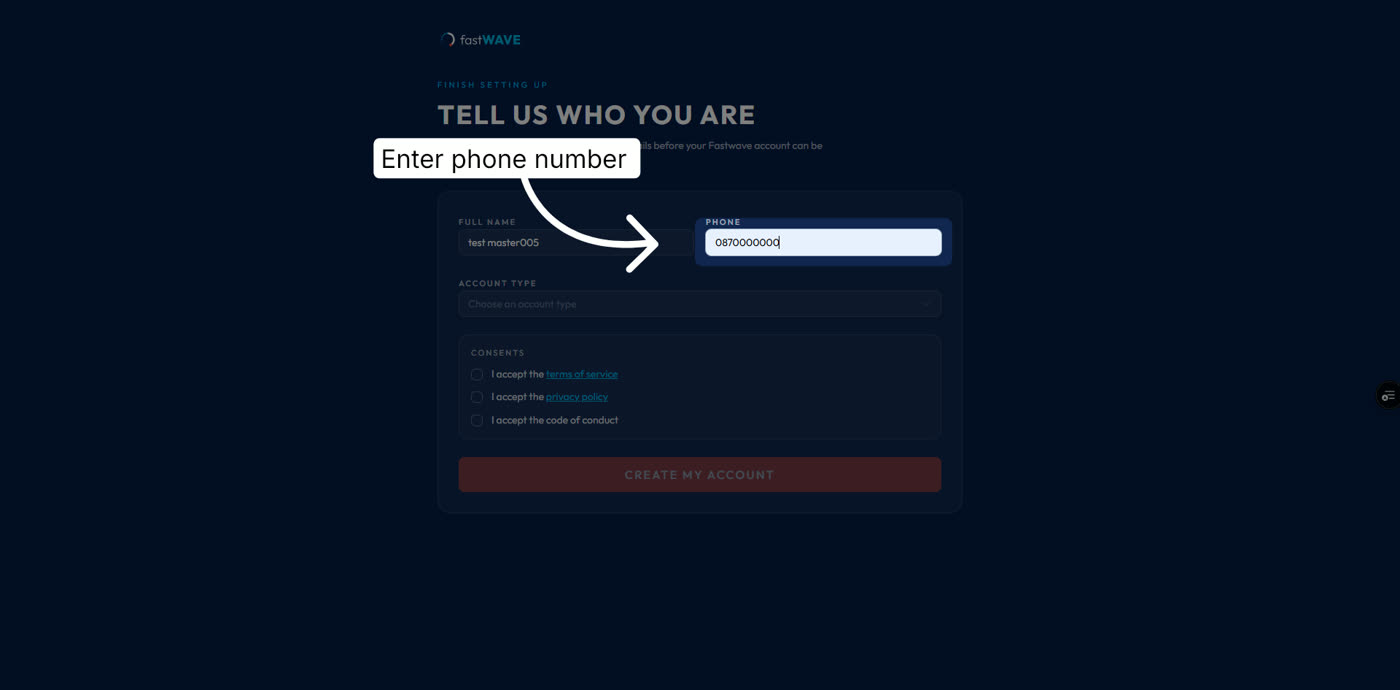
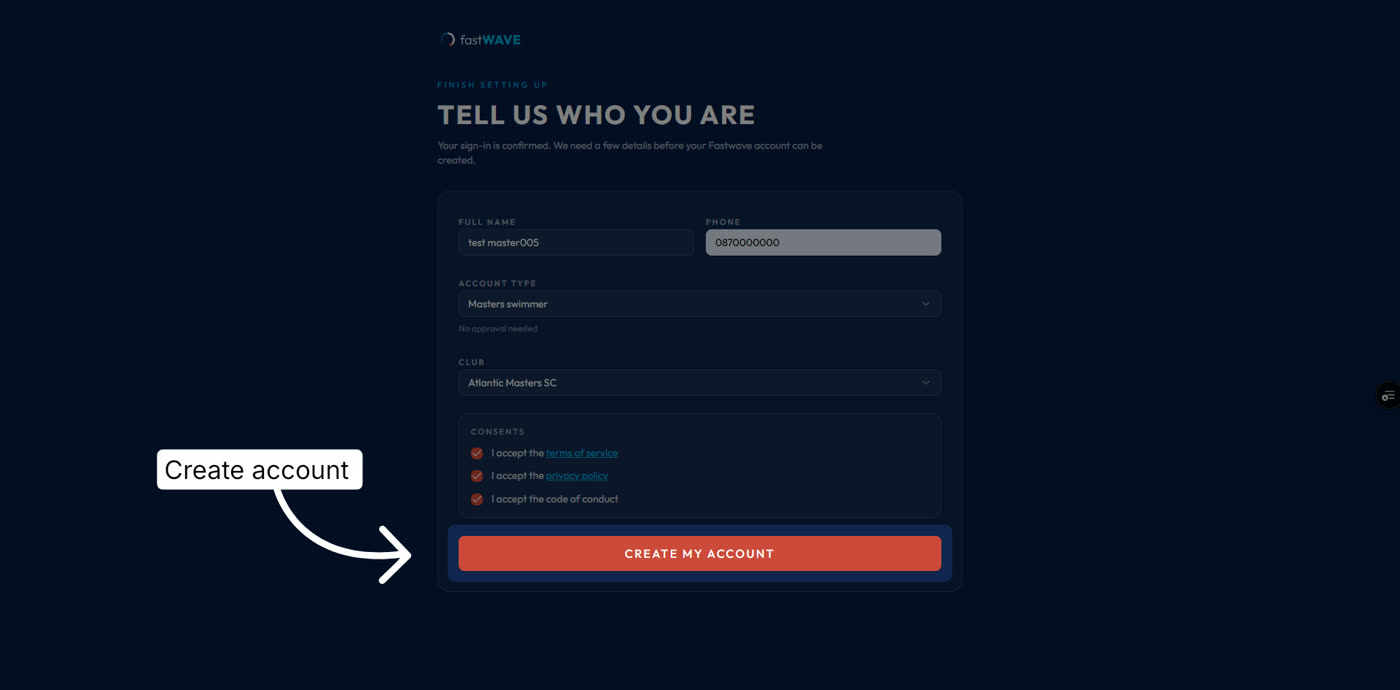
Click the Phone field and type your phone number.
Click Masters swimmer as your membership category.
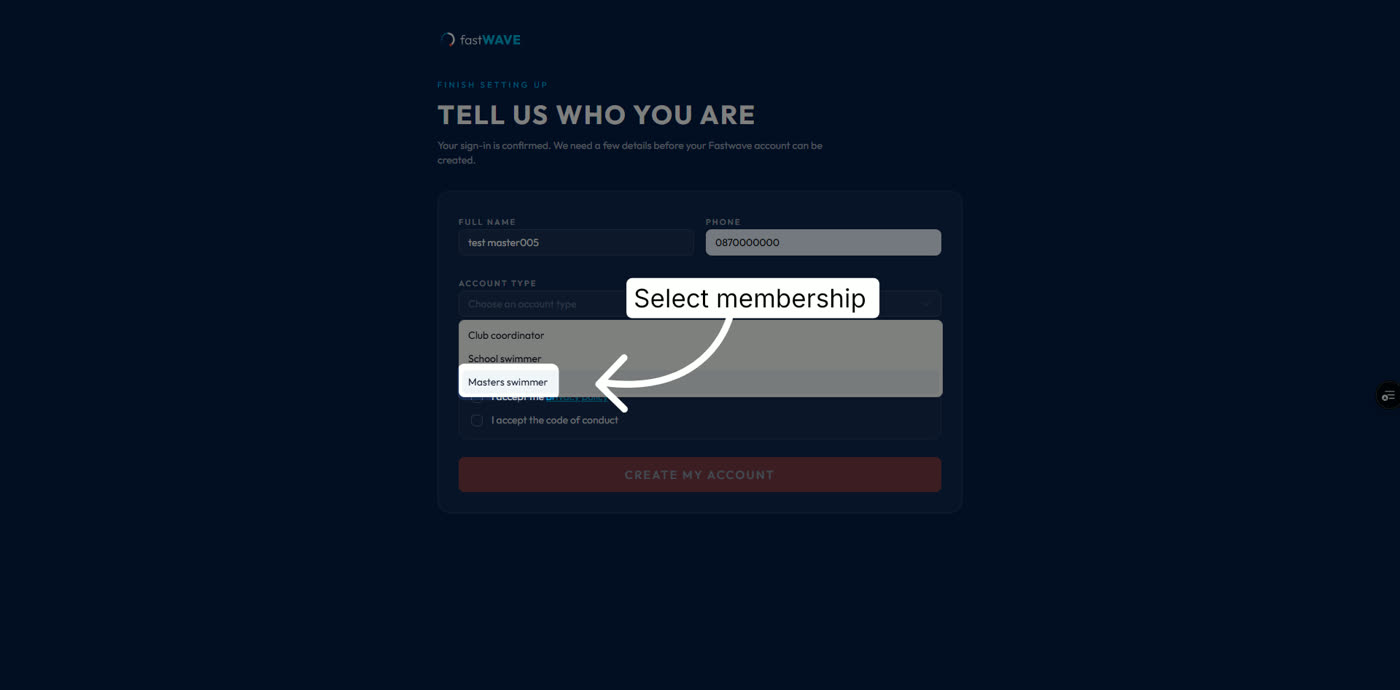
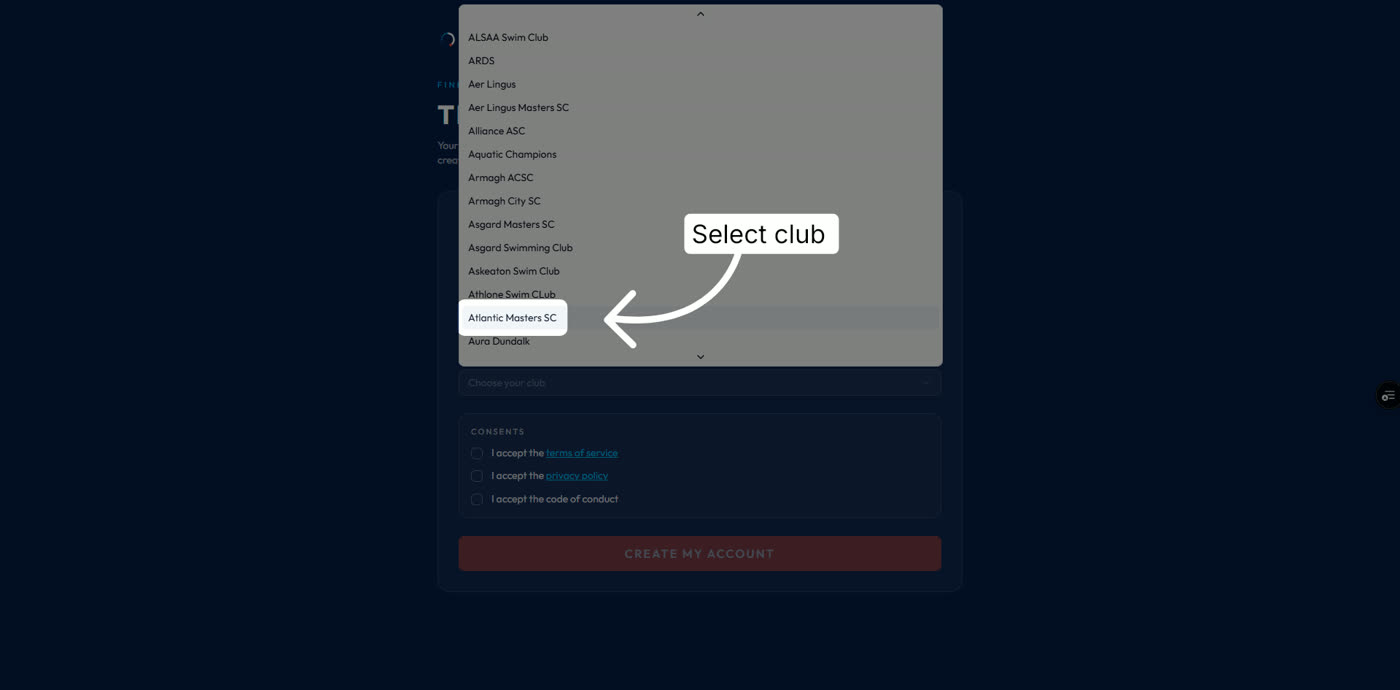
Open the club list and choose your club.
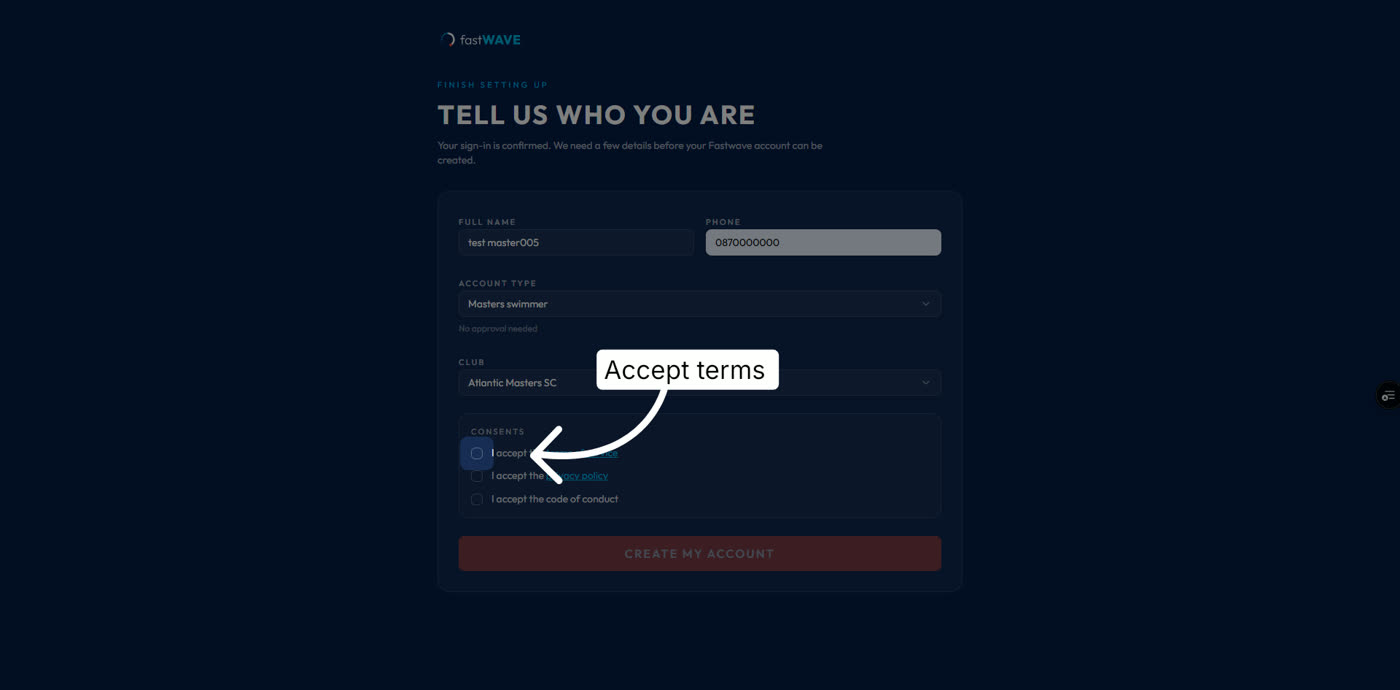
Tick the box to accept the terms of service.
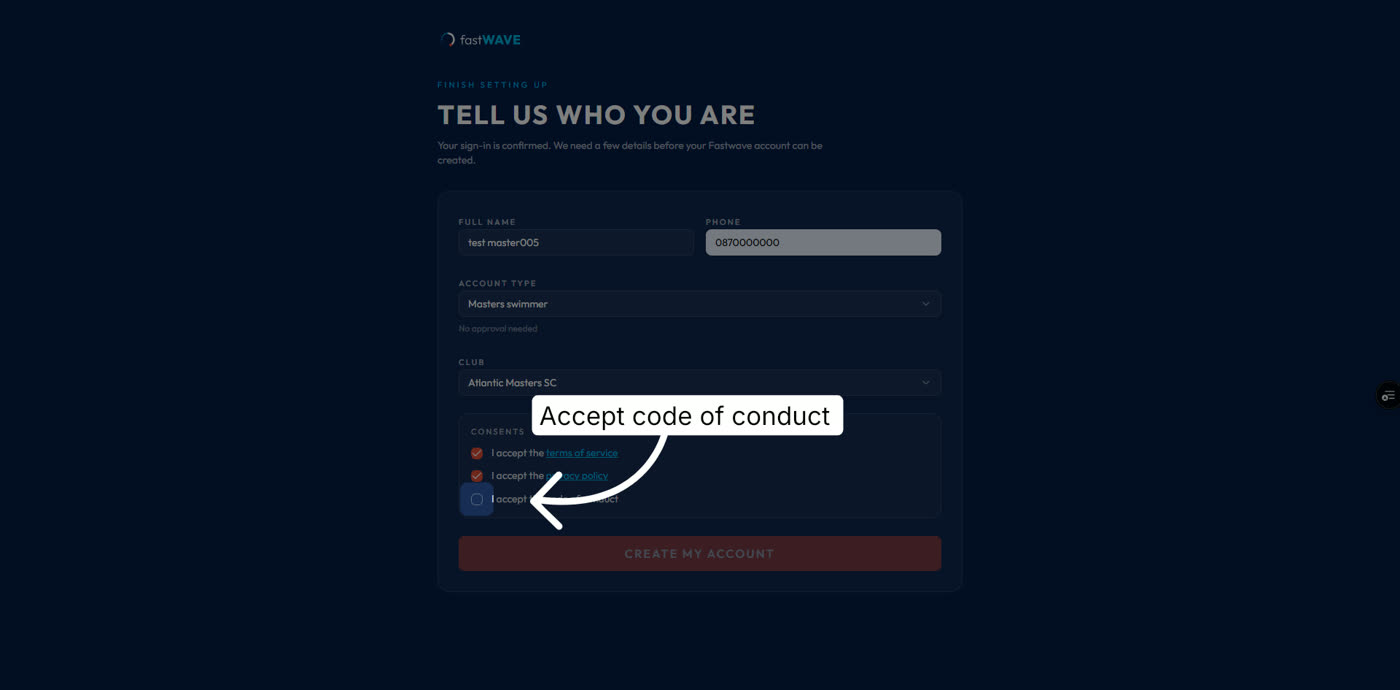
Tick the privacy policy and code of conduct boxes.
Click Create my account.
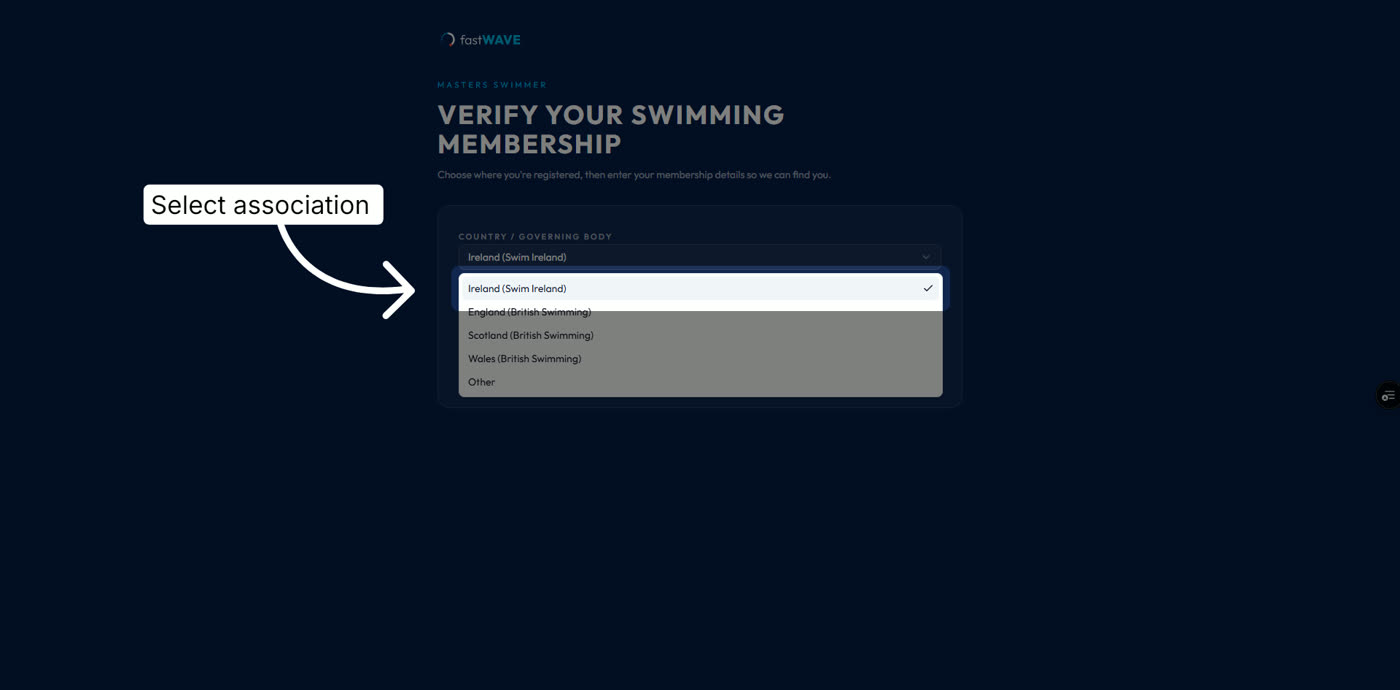
Click the national association you're a member of.
Tip: British Swimming includes the home nations: England, Scotland and Wales.
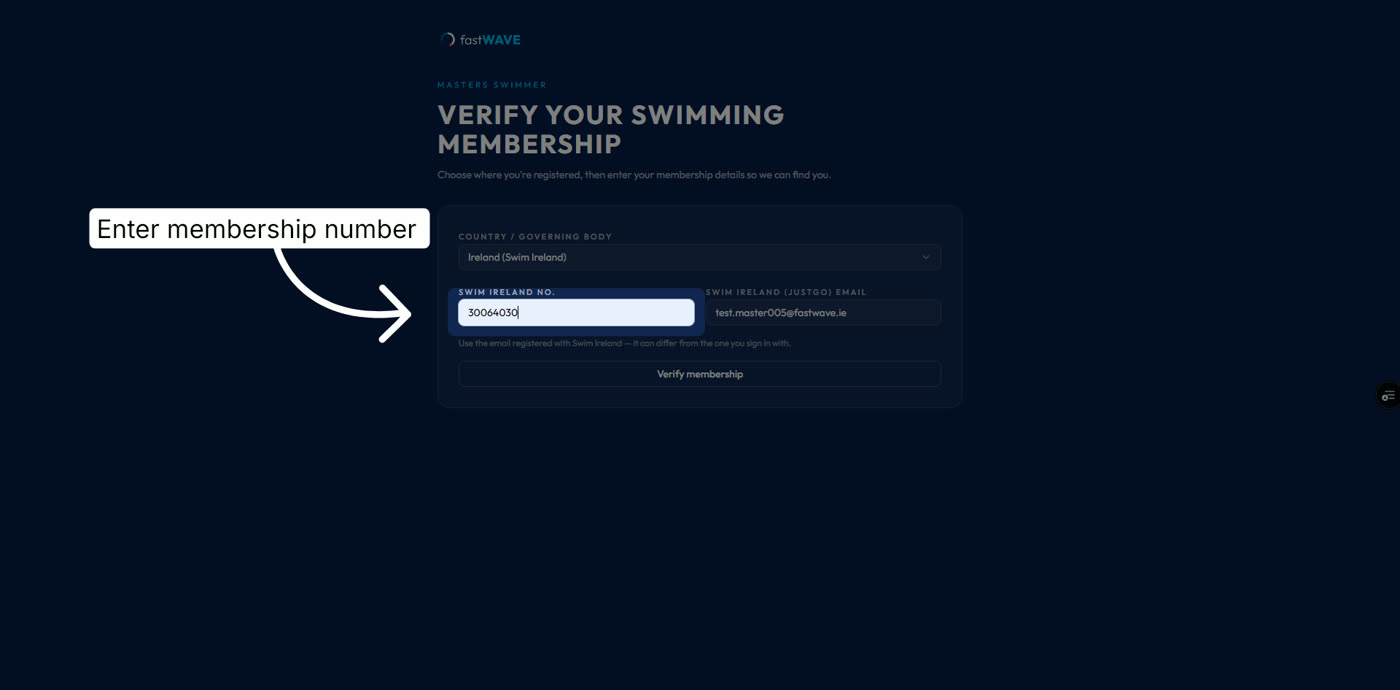
Click the Membership number field and type your number, then enter your JustGo email address.
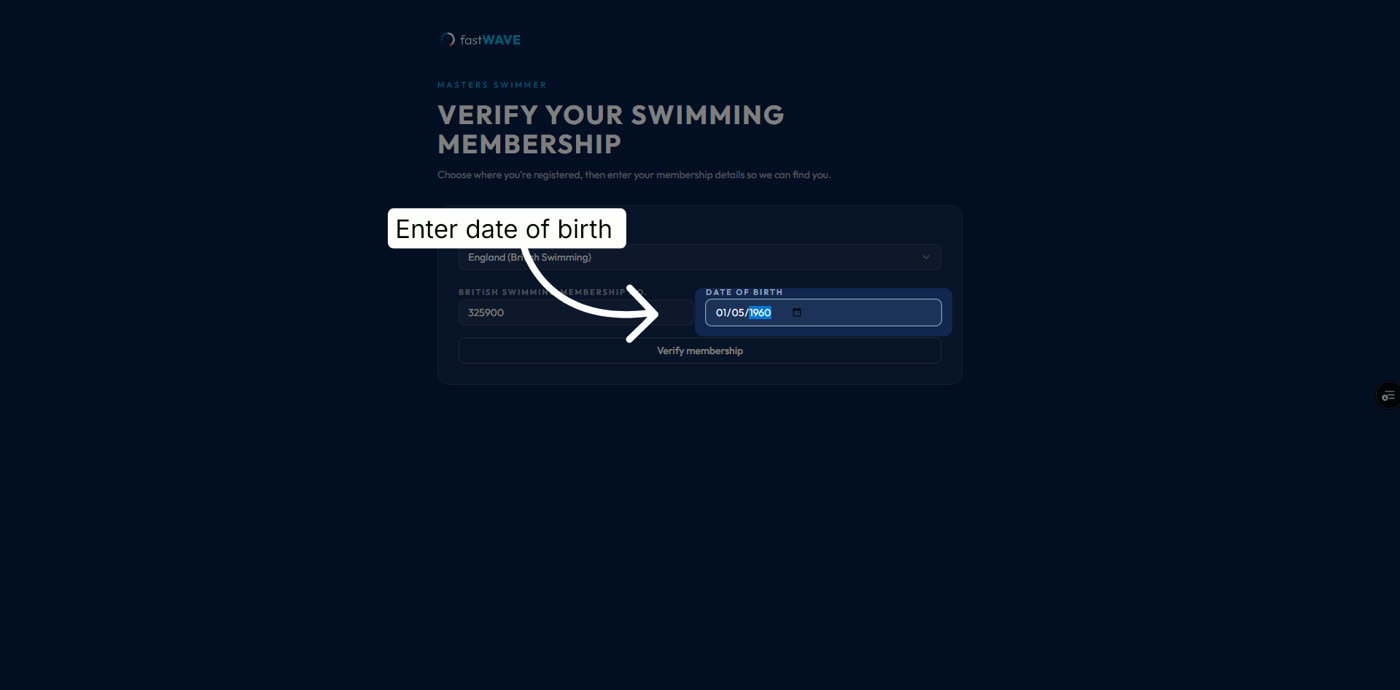
Click the Date of birth field and enter your date of birth.
Important: British Swimming members only. Skip this step for other associations.
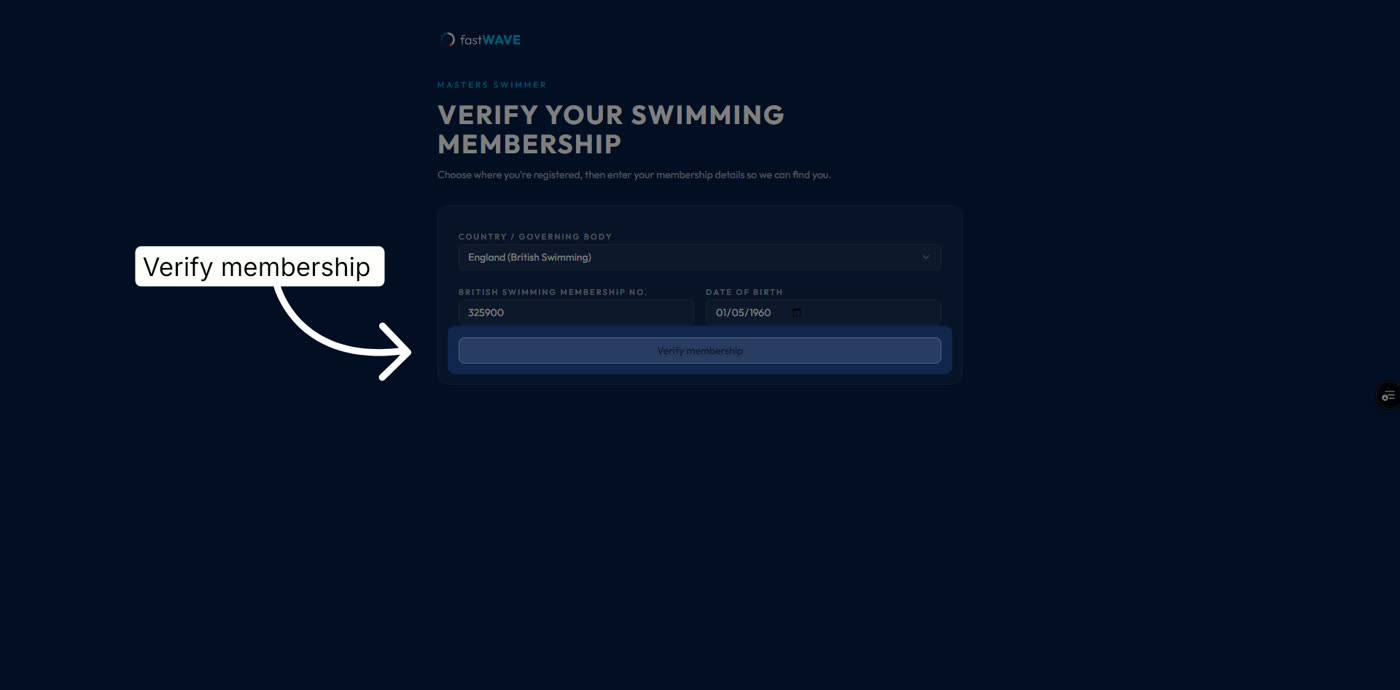
Click Verify membership to check your details.
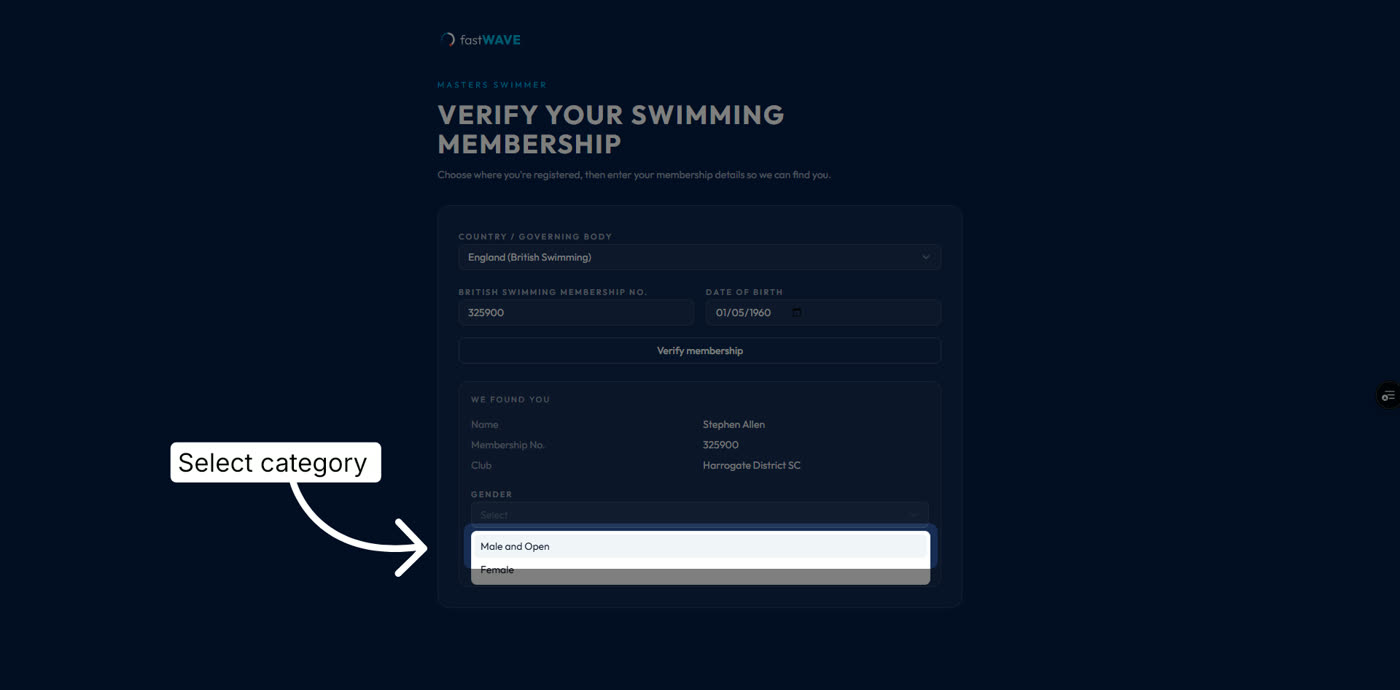
Choose your gender from the options.
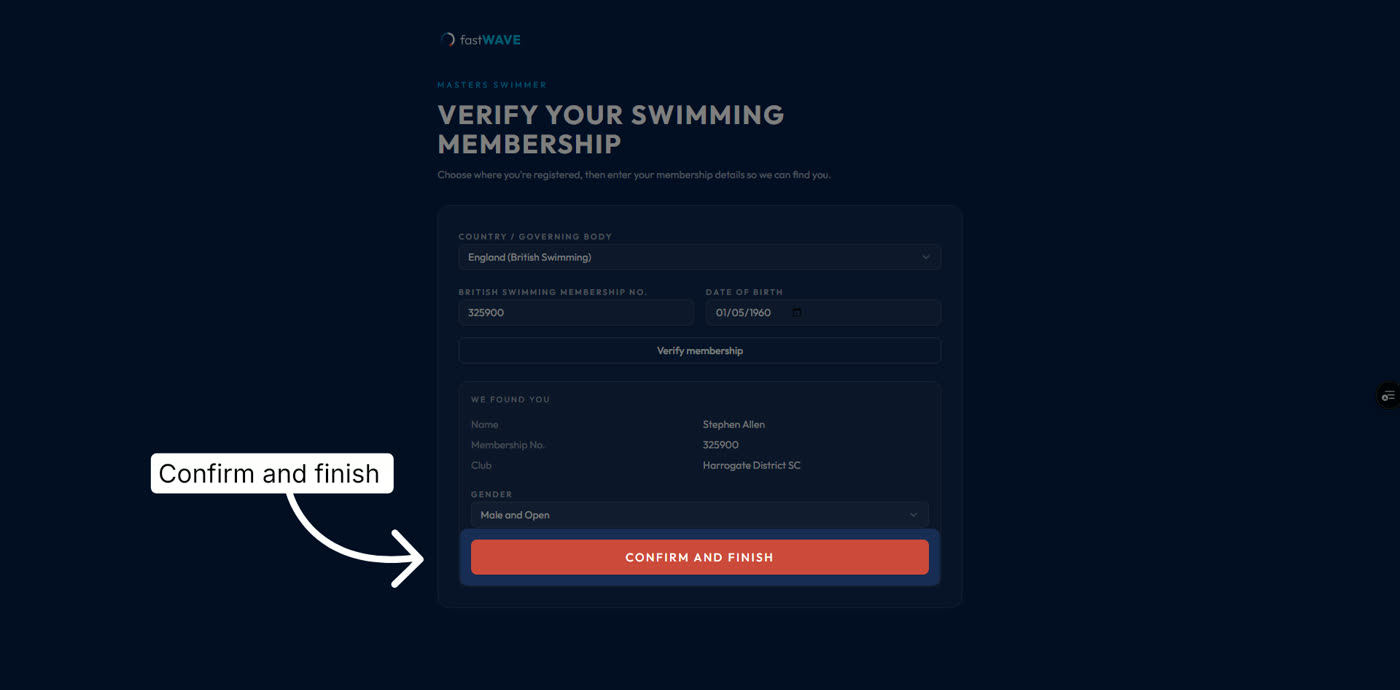
Click Confirm and finish to complete your registration.